
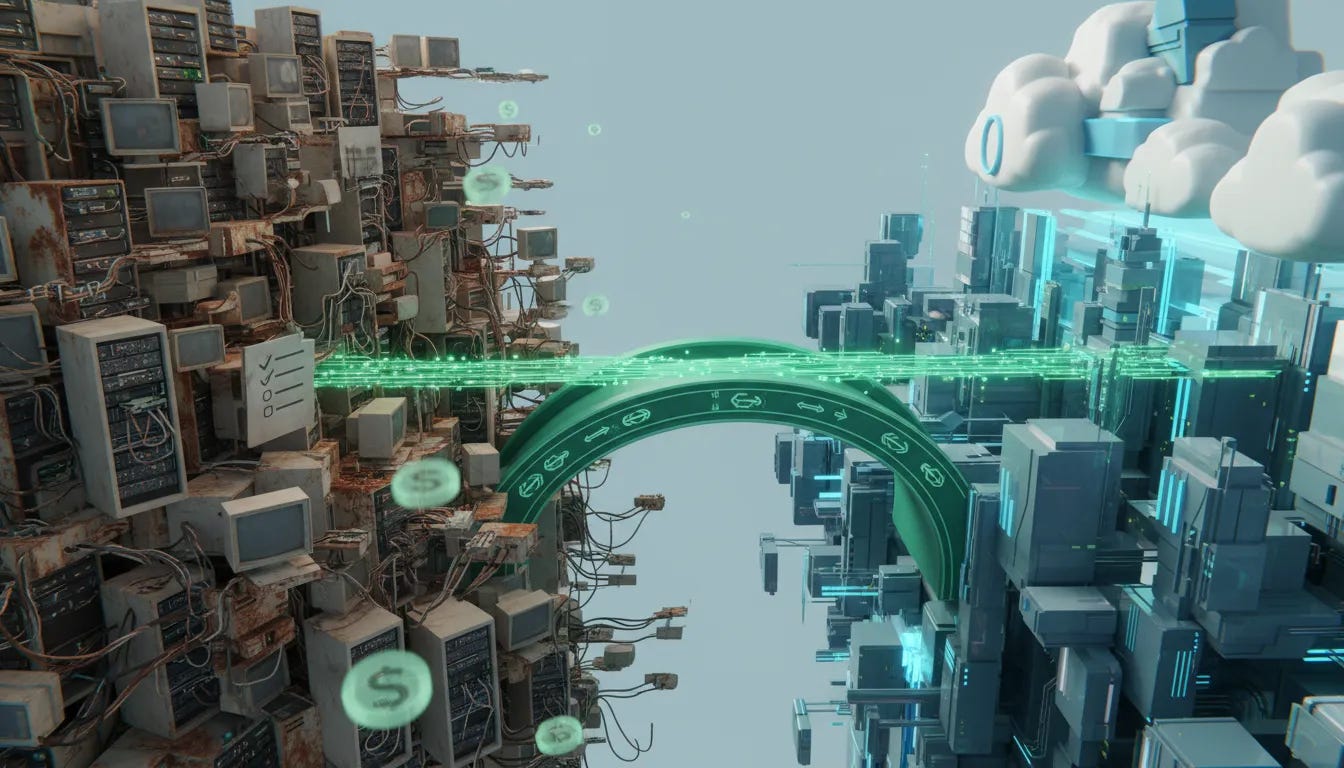
IT Modernization
What to Move, What to Keep, and How to Avoid Expensive Mistakes
IT modernization sounds simple when you say it fast.
Move the old stuff to the cloud. Upgrade the legacy systems. Add AI. Become more efficient. Done.
Except that is not how it works in the real world.
Once you get past the buzzwords, modernization gets messy fast. Cloud migrations get expensive. Legacy systems turn out to be tied to things nobody documented. Teams discover too late that the tool they rushed into now comes with operational costs they never modeled. And somewhere in the middle of all that, somebody starts asking the most important question of all: what problem are we actually trying to solve?
That is where real modernization begins.
Not with replacing everything old just because it is old. Not with chasing the latest trend. And definitely not with slapping new technology on top of broken processes and calling it transformation.
Real modernization is about making deliberate decisions about what serves the business, what no longer does, and what foundation actually creates value.
Modernization is not “replace everything”
One of the biggest misconceptions in enterprise technology is that modernization means ripping out old systems and replacing them with shiny new ones.
It does not.
Modernization is really about deciding what serves the business better. Some legacy systems still support core operations. Some absolutely need to go. Some need to move to the cloud. Some should stay local. Some should be retired entirely.
The goal is not novelty. The goal is fit.
If a system still supports the core business mission, and does it reliably, you do not replace it just for bragging rights. On the other hand, if it is slowing the business down, creating unnecessary cost, or preventing growth, then it is time to make a change.
That difference matters, because too many organizations confuse being current with being intentional.
Cloud migration is necessary, but the myths are expensive
For most organizations, cloud is no longer optional. Sooner or later, your systems are going to live in somebody’s cloud, whether that is Amazon, Microsoft, Google, or another provider.
But cloud migration has been oversimplified for years.
The myth was this: move everything to the cloud and enjoy instant efficiency, lower costs, and better scalability.
The reality is more complicated.
A lot of companies moved too fast without fully understanding the cost model. They saw the relatively low cost of putting assets into the cloud and assumed that was the whole story. It was not.
One of the major surprises has been cost reallocation. You may reduce some capital expenditures, but then increase your operational expenses in ways that are easy to underestimate.
A perfect example is egress fees.
Storing data in the cloud may be inexpensive. Accessing it and bringing it back for people and systems to use can get expensive very quickly. Put simply:
Sending data to the cloud can look cheap
Using that data at scale is where costs often show up
Operational usage can become more expensive than the original migration itself
That is why some organizations have had to rethink their original cloud strategies. After pushing everything outward, they realized some of those workloads never needed to be there in the first place.
This is where the idea of repatriation comes in. In practice, that means moving certain systems or data back out of the cloud because the economics or performance no longer make sense.
The lesson is not “the cloud is bad.” The lesson is that blanket decisions are bad.
Why smart companies still get this wrong
This is not happening because leaders are careless or uninformed. A lot of very smart people make bad modernization calls.
Why?
Because they are operating with incomplete visibility.
One of the most useful phrases here is data blindness.
Data blindness is what happens when an organization does not really know:
How much capacity it currently has
How many files and systems it is managing
Which applications are connected to which services
What dependencies exist across departments
Who actually owns a process or application
Instead of formal documentation, too much of that knowledge lives in somebody’s head. Or in a spiral notebook on somebody’s desk. Or in institutional memory passed around informally for years.
That is tribal knowledge, and tribal knowledge does not scale.
Everything can seem fine for twenty years, right up until somebody tries to modernize it. Then the hidden dependencies start showing up, and suddenly the thing everyone assumed was simple becomes a full-blown problem.
How to tell whether a legacy system is actually helping you
No, you do not unplug it and “see what breaks.” Funny line. Bad strategy.
The real answer is much less dramatic and much more useful: audit the system and map the business process.
This is where organizations need to slow down enough to understand what actually matters.
A proper audit asks questions like:
What does this system support every day?
Which business unit depends on it?
Who owns the process tied to it?
What breaks if it disappears?
Is there a documented workflow, or are we guessing?
Sometimes the answer is clear. Sometimes the answer is “I do not know.”
That “I do not know” is not a failure. It is a signal. It tells you there is hidden risk, hidden dependency, or both.
One of the smartest things a leadership team can do is physically map key processes end to end. Put it on a whiteboard. Write out who does what. Identify the owner. Track the systems involved. Find the handoffs. If nobody can explain the workflow clearly, then you are not ready to modernize it yet. You are still discovering it.
AI belongs in this conversation
AI absolutely belongs in modernization conversations, because it changes how quickly organizations can diagnose, analyze, and improve operations.
And yes, it also introduces the same old trap in a new package: jumping in before understanding the cost.
A lot of organizations are experimenting with AI platforms and building fast, only to realize later how expensive those deployments can become once they are deeply integrated. That should sound familiar, because it is the same pattern many companies followed with cloud migration.
Still, when used correctly, AI can be a serious advantage.
It can help organizations identify use cases, investigate workflows, detect inefficiencies, and uncover duplicate files or redundant processes much faster than traditional manual review.
As these tools get better at connecting to systems directly, the practical value goes up. If you can tell a tool to go find duplicate files, inspect process bottlenecks, or help you inventory what you actually have, that is real operational leverage.
That matters both personally and professionally. The same principle applies whether you are cleaning up your own digital mess or modernizing an enterprise stack.
The point is not to use AI because it is trendy. The point is to use AI where it helps you get better, do better, and be better.
Use the new tools, but use them with business sense
There is nothing noble about doing hard things the old hard way just because that is how you used to do them.
If modern tools can build faster, diagnose faster, and reduce manual work, use them.
The example that makes this obvious is website development. There was a time when building meant grinding through HTML by hand, then later using tools like Dreamweaver, then later evolving into more modern content and deployment stacks. Today, many of those tasks can be accelerated significantly with AI-assisted tools.
That same logic applies to enterprise systems.
If a new tool helps you decide:
What should stay on local infrastructure
What belongs in a cloud environment
What can reduce capital expenditures
What should move into operational spending models
Then that is not hype. That is just sound business sense.
Do not modernize with a “big bang” mindset
Successful modernization usually does not come from one giant leap. It comes from a layered approach with a clear roadmap.
That means:
Testing before full deployment
Using sandbox environments
Practicing change management
Having a rollback plan if something fails
Anyone who has ever broken a live site by pushing changes directly into production learns this lesson the memorable way.
The fun version of that story is cowboy coding. The painful version is downtime, angry teams, and emergency recovery.
Modernization done well requires discipline. You need an environment where you can test changes before they hit the core business. You need policies around change. And you need a “last known good” state you can return to if something goes sideways.
That is not bureaucracy. That is maturity.
Stop chasing trends and start building a foundation
This is where strategy separates itself from noise.
Leaders have to make sure they are not just reacting to headlines, vendor pressure, or fear of missing out. The question is never “Is everyone else doing this?”
The real questions are:
Is it financially viable?
Is it sustainable?
Does it improve efficiency and deliverables?
Does it support organizational growth?
Will the team that has to manage it actually buy in?
Those are the checkboxes that matter.
If a deployment is too expensive, too disruptive, too hard to maintain, or too poorly aligned with your actual business needs, then it is not modernization. It is distraction.
And if the people responsible for implementing and managing the change are not on board, your chances of success drop fast.
That is why internal sponsorship matters. Leaders need champions and lieutenants, not just directives from on high. If the team does not understand the why, support the plan, or feel equipped to execute it, resistance is inevitable.
Buy-in is not optional
No matter how good the technology is, no transformation works without team buy-in.
If your people need additional training, acknowledge that. If the process changes their daily work, account for that. If they are being asked to support a new methodology, bring them into the process early enough that they can help shape success instead of being forced to absorb chaos.
Modernization is not just a systems decision. It is an operating model decision.
And operating model decisions always involve people.
The hidden cost of Franken-systems
One of the clearest warnings in modernization work is the danger of building Franken-systems.
That happens when organizations keep patching new technology onto old technology without fixing the underlying problem. Or worse, when they add technology to something that may not need technology at all.
This is where the band-aid approach becomes expensive.
You get disconnected tools, overlapping systems, awkward handoffs, duplicated work, and a stack that is harder to maintain than what you started with.
Sometimes the coolest or most marketable option is not the best operational one.
And sometimes replacing people too aggressively with technology creates its own backlash. There are already examples of companies that rushed to cut staff because AI had supposedly changed everything, only to discover they still needed the humans and had to reverse course.
The takeaway is simple: technology is here to stay, but blind replacement is not strategy.
Intentional modernization wins
The organizations that get this right are not necessarily the ones moving fastest. They are the ones moving intentionally.
They understand the costs.
They weigh value from multiple angles:
Financial value
Time savings
Resource utilization
Team readiness
Operational sustainability
They think before they sign. They map before they migrate. They test before they deploy.
And because of that, they build technology foundations that actually support the business instead of just decorating it.
A practical action plan for IT modernization
If you want to move this from theory into action, start here.
1. Audit your legacy systems
Identify which systems still serve the core business mission.
Do not assume old means useless. Do not assume new means better. Find out what is essential, what is redundant, and what is simply being tolerated because nobody has documented a better way.
2. Map your processes end to end
Write down what happens, who owns it, what systems are involved, and where the dependencies live. If the workflow only exists in someone’s memory, that is a risk you need to address before making major changes.
3. Define what “done” looks like
Before you start the transition, decide what success actually means.
If you do not define the end state, you cannot measure progress, control scope, or know when the work is complete. Begin with the end in mind.
4. Model the real costs
Look beyond migration cost. Account for operational cost, support burden, access patterns, training needs, and long-term sustainability.
5. Use AI where it adds clarity and efficiency
Leverage AI to help you inventory systems, identify redundancies, uncover use cases, and accelerate analysis. Just make sure you understand the pricing and operational model before you go too far.
6. Build in change management and rollback plans
Test changes in a safe environment. Have contingency plans. Know how to return to a stable state if deployment fails.
7. Get buy-in from the people doing the work
Find internal champions. Train the team. Explain the purpose. Make sure this is something people can support, not just survive.
The bottom line
IT modernization is not about doing what is trendy. It is about making clear, grounded decisions that support the business.
Move what should move. Keep what still works. Retire what no longer serves. Use AI where it helps. Avoid Franken-systems. And never confuse speed with strategy.
If you can approach modernization with intentionality, clarity, and a real understanding of cost, value, and adoption, you are already ahead of most organizations trying to figure it out on the fly.


