Thank you to everyone who tuned into my live video! Join me for my next live video in the app.
Most of the time, gear conversations go off the rails fast.
Somebody asks what camera to buy, somebody else says 4K is dead unless it is 8K, another person starts naming microphones that cost more than rent, and before long the whole thing becomes one giant excuse not to create anything.
This time, the conversation was different.
Yes, we talked hardware. Yes, we talked software. Yes, we talked services. But the real thread running through all of it was simple: buy what helps you create consistently, not what makes you feel temporarily impressive.
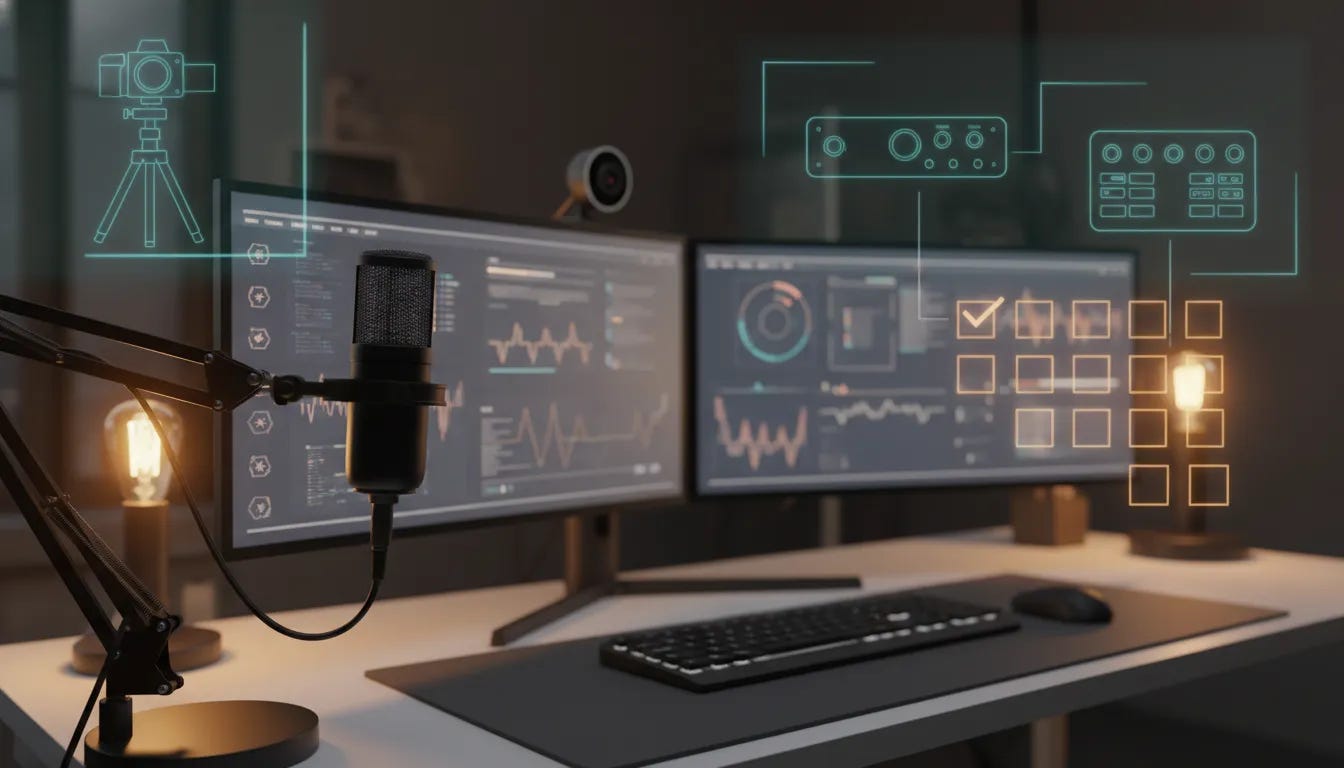
That means different things for different people. For some, it is a simple webcam, a decent microphone, and two monitors. For others, it is a full multi-camera switching setup with ISO recording and post-production workflows. Neither approach is wrong. The mistake is assuming everyone needs the same stack.
A simple setup can be more than enough
Greg Russell kicked things off with what I think is one of the most helpful examples for anybody building a practical streaming or content creation setup.
His rig is not overloaded. It is not trying to win a spec war. It is built to work.
His core setup includes:
An Elgato Facecam webcam
Two 27-inch BenQ monitors
A Stream Deck
An Audio-Technica microphone
Monitor arms that allow the displays to be raised and rotated vertically
That is a very sensible creator workstation.
The monitors are a particularly smart choice. BenQ is not always the first brand casual buyers mention when talking about displays, but among people who spend long hours in front of screens, BenQ gets a lot of respect. Greg specifically chose the eye-care models because if you are doing live streaming, editing, research, production, and meetings all week long, your screen is not just a screen. It is part of your health setup.
That point landed. A lot of people will obsess over color profiles and pixel counts while ignoring the fact that eye strain is real.
The vertical monitor orientation matters too. Being able to rotate screens gives you more flexibility for timelines, documents, chats, scripts, dashboards, social feeds, or vertical content workflows. It is one of those upgrades that sounds small until you use it every day.
More resolution is really about more workspace
One of the best practical explanations in the whole conversation came when the question of 4K, 5K, and 6K monitors came up.
The answer was not hype. It was workflow.
Higher-resolution monitors are not just about making things “look sharper.” They are about giving you more usable desktop space. More pixels means more room for multiple windows, tool palettes, browser tabs, editing panels, and live production controls without feeling cramped.
A good analogy that came up was kitchen space. If your desktop is the island where all the work happens, more screen real estate means more room to prep, organize, and move efficiently.
That matters whether you are:
Editing video
Running a live show
Managing multiple chats and scenes
Working across several apps at once
Using window management tools like Moom
So no, a 5K display is not “just flexing.” In the right workflow, it is productivity.
If you remember only one thing, remember this: audio matters most
Chris Stone cut through the gear noise with the most important point of the entire session.
Audio is the first priority.
You can get away with decent video. You cannot get away with bad sound for very long.
If people cannot understand you clearly, they are gone. It really is that simple.
That is why a modest setup with a good microphone can outperform a flashy setup with weak audio every single time.
Chris also pushed back on the common assumption that every creator needs a premium audio interface like a Rodecaster Pro 2. Great piece of gear? Absolutely. Necessary for everybody? Not even close.
His example was the Zoom PodTrak P4, a compact audio interface and recorder that offers a lot of what creators actually need:
Four XLR inputs
Local recording to SD card
Sound pads
Individual gain controls
Headphone outputs
Battery power for portability
USB connectivity for use with a computer
That makes it a strong option for podcasters, livestreamers, remote productions, and creators who need field-ready gear without overspending.
The larger point was even better than the product recommendation: you do not need to buy the expensive thing just because it is the thing people name-drop online.
Before you fix your sound in software, fix your room
Another audio truth that deserves repeating: your room matters.
No software can completely rescue a terrible-sounding space. The better the sound is before it hits the microphone, the better the end result will be.
That means:
Reducing echo
Using soft materials when possible
Controlling HVAC and fan noise
Positioning yourself correctly at the mic
Learning proper microphone technique
Then, if you need software cleanup, use it as support, not as a crutch.
Two noise reduction tools came up here:
Krisp, which remains one of the best-known background noise removal tools and became especially popular during the pandemic
Shure Motiv Mix, which was mentioned as a flexible option that is not limited only to Shure microphones
Krisp, in particular, got praise for how effectively it removes background distractions. In a household with singers, conversations, or general chaos, that can be the difference between usable audio and unusable audio.
Wireless audio that makes mobile creation easier
Jim Fuhs shared a tool that fits a very different use case: quick mobile video creation with good sound.
He highlighted the Maono Wave T5, a wireless microphone setup designed to work easily with phones and other video tools. What stood out was not just the microphone itself, but the low-friction workflow.
That matters.
If a wireless mic system is too clunky, too fiddly, or too app-dependent, it can actually slow content creation down. The Wave T5 impressed because it plugs in simply, works with common video apps, and gives creators a way to improve audio quality without carrying a giant setup.
Features that stood out included:
Compact receiver options
Compatibility with phone-based workflows
Onboard noise cancellation
Phone charging passthrough
Strong range for real-world use
There was also some honest discussion around the brand itself. Not every company hits a home run with every product. That is true for budget brands and major brands alike. The point was not blind loyalty. The point was testing what works and being truthful about what does and does not.
That honesty is a big deal in creator tech. Plenty of people will hype products they barely touched. That is not useful. Real recommendations come from using the gear, finding the edge cases, and speaking plainly.
Don’t buy premium gear just to procrastinate
This was probably the strongest theme of the entire discussion.
A lot of gear shopping is just procrastination dressed up as preparation.
That line might sting a little, but it is true.
Junaid Ahmed put it plainly. Most of us already carry incredibly capable creation tools in our pockets. Modern smartphones include excellent cameras and multiple microphones, and many of them offer audio processing that would have sounded unreal just a few years ago.
If you are waiting until your setup is “perfect” before you start, you are probably not waiting on equipment. You are waiting on courage, clarity, or momentum.
The better move is this:
Start with what you have
Build the habit of creating
Learn where the actual friction points are
Upgrade only when the need is real
That is how you avoid wasting money on gear that ends up becoming shelfware.
When advanced production tools do make sense
All that said, advanced gear absolutely has a place.
If you are producing higher-end shows, recording events, managing multiple camera angles, or delivering client work, more robust tools can save serious time and make your output far more polished.
That is where Junaid’s setup came in.
One of his favorite pieces of hardware is the Blackmagic ATEM Mini Pro ISO, and for good reason.
The ATEM line gives you hardware-based camera switching, but the ISO models add one especially powerful feature: isolated recordings of each input. That means you are not stuck with only the switched program feed. You also get the individual camera files for post-production.
Why that matters:
You can fix missed cuts later
You can build cleaner edits in post
You can recover reactions and alternate angles
You can create a more polished final production without re-recording
The ATEM workflow becomes even stronger when paired with DaVinci Resolve, because the ecosystem is designed to work together. Blackmagic has always understood the value of making software and hardware reinforce each other. DaVinci Resolve’s free version is already powerful, and the Studio license remains one of the better one-time purchases in pro video.
The big takeaway here was not “everyone should buy an ATEM.” It was this: when your workflow truly demands more control, proven ecosystems matter.
Why trusted brands still matter
This came up repeatedly, and it is worth saying clearly.
There is room for new companies. There is room for innovation. But when you need gear that simply has to work, most professionals still lean toward manufacturers with a track record.
That means names like:
Zoom
Rode
Shure
Sony
Blackmagic Design
Adobe
That is not snobbery. It is risk management.
If your production cannot fail, or your client work depends on stability, the odds are better when you use tools from companies that have already earned trust over time.
Internet infrastructure is part of the studio too
When people think about streaming, they usually think cameras and microphones first. Fair enough. But if you are doing multicam, multi-guest, multi-destination live production, your internet and local network become part of the gear stack too.
There was a useful discussion around what it takes to stream a high-quality show to multiple destinations while bringing in remote guests.
The essentials included:
Hardwired Ethernet, not Wi-Fi
A connection with enough upload capacity
A network switch that can actually support the speeds you are paying for
A computer that is not the bottleneck
Enough free storage so the system does not choke while recording
That last one is overlooked all the time. Fast internet does not matter much if your machine is almost out of disk space or your network hardware cannot pass the available bandwidth through cleanly.
So yes, you may not need 10-gig networking. Most people do not. But you do need a setup where all the parts work together.
PTZ cameras and compact cameras are changing the game
One area where creator gear really has improved is small-format cameras.
Jim brought up devices like the OBSBOT Tiny 3 and the Insta360 Link 2, and the broader point was clear: if you are still relying on a mediocre old webcam just because that used to be the standard, you probably have better options now.
Modern PTZ-style cameras offer:
4K image quality
AI tracking
Presets
Compact size for travel
Improved presentation flexibility
For remote production, conferences, mobile interviews, and desk setups, these cameras solve real problems without the bulk of a full mirrorless rig.
That same idea carried over into discussion of the OBSBOT Tail Air and compact creator cameras like the DJI Osmo Pocket 3. These tools are especially appealing because they reduce friction. You can set them up quickly, carry them easily, and keep moving.
And that goes back to the larger theme again: ease of use often beats theoretical perfection.
The best tool is often the one that keeps you creating
Chris made a point that a lot of creators need to hear.
Sometimes the best gear is not the gear with the absolute best spec sheet. It is the gear that removes enough friction that you actually use it.
He used the example of pairing microphones with the DJI Pocket 3. Yes, there are higher-end options. Yes, there are premium systems with slight advantages. But if the simpler pairing is easy, reliable, and sounds good enough for the audience and platform, then that may be the smarter choice.
That principle applies everywhere:
Microphones
Cameras
Editing tools
Live streaming software
Publishing platforms
If complexity kills consistency, then simplicity is the better professional choice.
Software recommendations that actually solve problems
Once the hardware talk settled in, the conversation shifted to software and services. This is where things got really useful, because some less obvious tools came up.
Tela for quick screen recording
Greg recommended Tella as a smart option for people who want to record their screen and webcam together without needing a full, heavy editing workflow.
What makes it helpful is the ability to stop and restart cleanly, then stitch everything together quickly. That is great for tutorials, walkthroughs, demos, and simple talking-head explainer content.
For creators who do not want to live in a full video editor, that kind of friction reduction matters a lot.
ShareMouse for multi-device workflows
Another smart recommendation from Greg was ShareMouse.
If you use multiple computers, ShareMouse lets you use the same keyboard and mouse across devices over the same network. Think of it as a modern software-driven version of a KVM workflow.
That means less desk clutter, less hand-switching, and a smoother production environment when working across multiple machines.
Ecamm Live for production and clipping
Chris called out Ecamm Live as one of the most important tools in his stack, especially for creators working on Mac.
One feature that got a lot of praise was the ability to record and stream in both horizontal and vertical formats. That is a huge advantage in a world where long-form content and short-form clips both matter.
If a platform can help you create the main production and make repurposing easier, that is a serious win.
It also reinforces a bigger trend in creator workflows: a good production tool should not just help you go live. It should help you create more usable content from every session.
Descript for editing at scale
Descript came up as another major tool, especially for client work and fast-turn editing. If your workflow includes transcript-based editing, repurposing, and content cleanup, it remains one of the strongest options out there.
The practical advice here was solid: every platform has bugs. Every tool has tradeoffs. Instead of looking for some mythical perfect app, learn the strengths and weaknesses of the tools that fit your use case.
Patience matters with software.
Companies evolve. Features improve. Bugs get fixed. The first version you touch is not always the final story.
Camo for turning your phone into a serious camera tool
Jim highlighted Camo from Reincubate, and this is one of those tools that can save people from buying unnecessary hardware too soon.
Camo lets you use your phone camera with more control and more stability than Apple’s Continuity Camera alone. It also supports overhead camera workflows and gives creators more flexibility when they want to use the best camera they already own.
For product demos, tabletop filming, or webcam replacement, that is a very smart piece of software.
Camtasia for approachable editing and screen capture
Camtasia also got strong praise, especially for creators who want a more approachable video editing environment and excellent screen recording tools.
That has been true for years, and it is one reason the platform still has loyal users. If your work leans heavily on tutorials, presentations, software demos, or educational content, Camtasia remains a strong option.
Its ease of use matters just as much as its feature set.
Substack as a publishing and clipping platform
Substack came up for an interesting reason. It is not only a writing platform anymore. It is also becoming more useful for creators who want built-in livestreaming, transcripts, clipping, and distribution advantages.
One especially appreciated feature was how collaborative streaming now routes into invited participants’ channels automatically. That is the kind of quality-of-life improvement that makes a platform much more attractive for creator workflows.
If your work blends newsletters, audio, livestreams, and community, that is worth paying attention to.
pCloud for storage without another endless subscription
Greg’s final software recommendation was pCloud, especially for people trying to expand storage without stacking more monthly subscriptions forever.
Two things stood out:
Lifetime pricing options
A virtual drive feature that behaves like local storage
That makes it useful for creators working on machines with limited internal space, including compact desktop systems. If you are recording lots of media and trying to keep local storage manageable, that is a compelling option.
Use the software that fits your workflow, not somebody else’s identity
One of the healthiest parts of the discussion was the refusal to turn software into a religion.
There are good reasons people choose StreamYard, Restream, Ecamm Live, Riverside, vMix, and other tools. They each do some things well. They each have limitations too.
The smarter approach is to ask:
What kind of show am I producing?
How technical do I want the workflow to be?
Do I need browser-based flexibility or local app power?
Do I need ISO recording?
Am I producing solo content or client productions?
How important is clipping, transcription, or repurposing?
That is also why testing matters. If a tool offers a trial, use it. Push it. Find the edge cases. See how it behaves under your actual workload.
And if you need help, ask people who really use the stuff.
That point came up more than once and it is worth underlining. You cannot always trust generic reviews, but you can often trust experienced practitioners who have put the tools through real use cases.
The real cost of buying too much too early
There was a lot of joking about shelfware, gear acquisition syndrome, and overbuying. Funny, yes. Also painfully real.
Many creators end up spending money in the wrong order.
They buy advanced switching hardware before they have an audience, premium interfaces before they understand microphone technique, and endless software subscriptions before they have a publishing rhythm.
That is backwards.
The better path looks more like this:
Get clear on the content you want to make
Build a simple, reliable setup
Create consistently
Upgrade only when the current setup becomes the bottleneck
If you do that, every purchase has a purpose.
Build skills before you build a gear museum
Greg brought in a great line from Top Gun: Maverick: it is not the plane, it is the pilot.
That says it all.
The gear helps. Of course it does. But skill, consistency, storytelling, and clarity matter more than owning the latest shiny thing.
Junaid reinforced the same idea with examples from podcasting and content creation. Start where you are. Record on your phone if you need to. Publish. Learn. Improve. Get the reps in.
That is how creators develop taste, confidence, and technical judgment.
Not by endlessly comparing spec sheets.
At some point, you may need to build your own tools
One of the more interesting parts of the conversation came near the end, when the topic shifted from using software to building it.
That came up because sometimes the existing tools almost fit, but not quite. When that happens, the next level is not just choosing better software. It may be creating your own workflow, plugin, dashboard, or platform.
Junaid talked about building PodGlue to solve his own podcast workflow problem. James talked about coding production assets and internal tools because the existing options were not giving him what he wanted.
That mindset is powerful.
You do not have to accept every limitation in the market if you have the skills, vision, or collaborators to build around it.
And honestly, that spirit fits the whole technologist mindset perfectly.
What I’d tell any creator starting today
If I had to boil the whole conversation down into a practical checklist, it would look like this:
Prioritize audio first
Use a reliable camera, not necessarily the fanciest one
Get hardwired internet whenever possible
Choose screens and ergonomics that support long work sessions
Buy for your workflow, not your wishlist
Use software trials before committing
Do not let gear shopping replace creating
Ask experienced people before spending money
Upgrade when your workflow proves the need
That is the real path.
Not hype. Not status purchases. Not panic-buying every “must-have” recommendation that floods your feed.
Just good tools, honest testing, and consistent creation.
Keep the focus where it belongs
The best part of this whole gear conversation is that it never really became only about gear.
It stayed grounded in service, workflow, creativity, and impact.
That is how these conversations should go.
Because in the end, nobody remembers what monitor resolution you used, what brand badge was on your desk, or whether your rig looked expensive. They remember whether the content was useful, whether the story connected, and whether your message came through clearly.
If you want to explore more creator tools, branded gear, and resources built around this whole technologist and creator workflow, join us in the premium Digital Collective community.
Get the reps in. Use what works. Upgrade with intention. And for the love of all things creator tech, do not let your setup become another excuse not to hit record.